Shortcodes: Math, Music, and Sponsor
A tour of Beacon's built-in shortcodes — LaTeX math, a music player, and a collapsible sponsor block with build-time QR codes.
Table of Contents
Beacon ships a few shortcodes for richer posts. Everything below renders from a short tag in the Markdown — no manual HTML.
Math (LaTeX)
Beacon typesets LaTeX with KaTeX at build time — the equations are baked into the HTML, so there is no client-side JavaScript and no flash of unstyled math.
You can write math two ways. The first is bare delimiters (needs the Goldmark passthrough extension, which this demo enables): the Pythagorean theorem sits inline, and a display block reads:
The second is the mathjax shortcodes, handy when porting content or when you
prefer an explicit tag. Inline: the machine cycle at 6 MHz is
.
And a block:
Both forms use the same build-time KaTeX under the hood, so they look identical.
Music
The music shortcode embeds an APLayer + MetingJS player. The player library is
loaded from a CDN, but only on pages that use the shortcode — every other page
stays lean.
Positional form, server type id:
Named parameters work too, e.g. {{< music server="netease" type="playlist" id="60198" >}}
for a whole playlist, or url= / name= / artist= / cover= to point at a
local audio file in the page bundle.
Sponsor
The sponsor block is a global feature, not a shortcode — see the collapsible
“buy me a coffee” button at the very bottom of this page. It’s configured once in
[params.sponsor] and appears on every post; a post can opt out with sponsor = false
in its front matter.
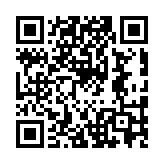
For crypto wallets you don’t supply an image at all — give the address and Beacon
renders the QR code at build time (Hugo’s images.QR), so there’s no client-side
QR library and no external request. The address line below each code is click-to-copy.
For payment apps whose QR is a screenshot (WeChat Pay, Alipay, …), point an item at
an image with qr = "images/wechat.png" instead.

Comments